Best Webflow Alternatives in 2026, Reviewed
Discover the best Webflow alternatives for 2026! Explore expert-reviewed options like Shopify and WordPress to find your ideal platform.

What are the best Webflow alternatives right now?
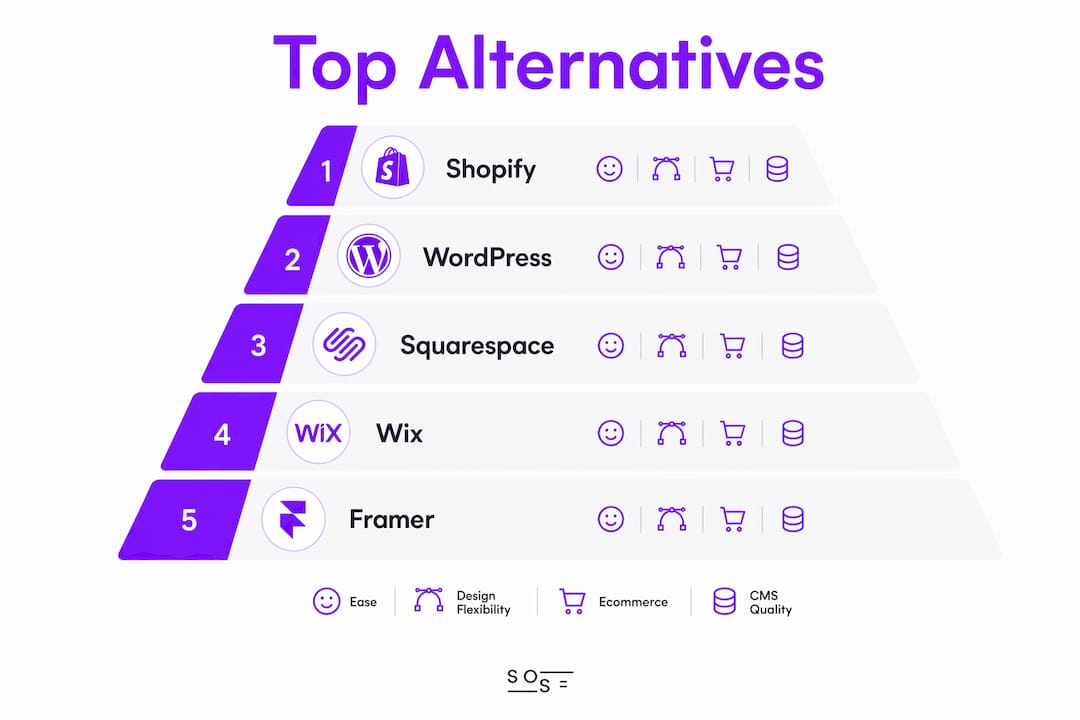
The short answer: it depends on what Webflow is failing to give you. If you need simplicity, Wix or Squarespace will get you there faster. If ecommerce is the priority, Shopify has no real competition in this list. If you want full control over content and code, WordPress with Elementor is the most proven path. And if you need actual web application logic, Bubble is in a different category entirely.
The table below maps several prominent platforms across the dimensions that actually matter for your decision.
| Platform | Ease of Use | Design Flexibility | Ecommerce | CMS Features | Starting Price | Best For |
|---|---|---|---|---|---|---|
| Wix | Very high | Moderate | Basic to mid | Good | Free; paid from ~ $9/yr | Beginners, small businesses |
| Squarespace | High | High | Moderate | Good | From — | Creatives, portfolios |
| Framer | Moderate | Very high | None | Limited | Free; paid from ~$10/mo | Designers, marketing teams |
| Shopify | High | Moderate | Best in class | Limited | From ~$39/mo | Ecommerce businesses |
| WordPress | Moderate | Very high | Strong (WooCommerce) | Best in class | Free (self-hosted) | Developers, content sites |
| Elementor | High | High | Strong | Good | Free plugin; Pro from — | WordPress users |
| Dorik | Very high | Moderate | Basic | Basic | From — | Budget-conscious builders |
| Duda | High | Moderate | Basic | Moderate | From — | Agencies, teams |
| Weebly | Very high | Low | Moderate | Basic | Free; paid from ~$10/mo | Small online sellers |
| SITE123 | Very high | Low | Basic | Basic | Free; paid from — | Quick, simple sites |
| Jimdo | Very high | Low | Basic | Basic | Free; paid from ~$9/mo | AI-assisted quick builds |
| Siter.io | High | Moderate | None | Basic | Free; paid from ~$10/mo | Modular template builders |
| Silex | Low | Very high | None | Basic | Free (open-source) | Advanced open-source users |
| Webstudio | Moderate | Very high | None | Moderate | Free; paid from — | Design professionals |
| Ycode | Moderate | Moderate | Basic | Good | From — | No-code web app builders |
| Rocket.new | Very high | Low | None | Basic | Free tier available | Rapid prototyping |
| Bubble | Low | Moderate | Moderate | Moderate | Free; paid from — | Full web app development |
| Ghost | High | Moderate | Memberships | Best in class | From ~$9/mo (self-hosted) | Bloggers, publishers |
| TYPO3 | Low | High | Moderate | Enterprise-grade | Free (open-source) | Large organizations |
| Pixpa | High | Moderate | Moderate | Moderate | From ~$7/mo | Photographers, artists |
| Claude Code | Low | Very high | Custom | Custom | Usage-based | AI-assisted developers |
| Typeflo | High | Moderate | None | Good | Paid plans available | Editorial teams |
| TeleportHQ | Moderate | High | None | Basic | Free; paid from ~$9/mo | Frontend dev teams |
| Dora | Moderate | High | None | Basic | Free; paid plans available | Cross-platform builders |
| Carrd | Very high | Low | Basic | None | Free; Pro from ~$9/yr | Landing pages, profiles |
Pro Tip: Before committing to any platform, run a free trial on your actual use case, not a demo project. The gap between "looks easy" and "works for my workflow" shows up fast.
Why do users look for alternatives to Webflow?
Webflow is genuinely impressive, but it is built for a specific kind of user: someone who understands CSS box models, flexbox, and web layout logic well enough to work visually without writing code. That is a narrower audience than most people realize.
Here is what drives users to look elsewhere:
- Steep learning curve. Webflow exposes CSS and HTML logic visually rather than hiding it. Platforms like Wix and Squarespace abstract all of that away, which is exactly what most small business owners and non-technical marketers need.
- No native database or app logic. If your project needs user authentication, database reads and writes, or workflow automation, Webflow cannot do it natively. Platforms like Bubble fill that gap with integrated data layers and logic systems.
- Ecommerce limitations. Webflow's ecommerce tools are functional but limited compared to Shopify's dedicated storefront infrastructure. Sellers who need inventory management, multi-currency support, or deep POS integration hit a ceiling quickly.
- Closed ecosystem. Webflow does not have a plugin marketplace comparable to WordPress. If you need a specific integration, you are often building it from scratch or relying on third-party embeds.
- Cost at scale. Webflow's pricing climbs as your site grows in pages and traffic. For teams managing multiple client sites, that math gets uncomfortable fast.
- Technical ceiling mismatch. Users switch away from Webflow in two directions: toward simpler builders when they want less friction, or toward custom code stacks when they want more freedom than Webflow allows.
The platform is not flawed. It is just built for a specific technical ceiling, and many users land above or below it.
Detailed reviews of the top Webflow alternatives
Wix
Wix is the most accessible general-purpose builder on this list. Its drag-and-drop editor requires no understanding of layout principles, and its app marketplace covers most common integrations out of the box: booking systems, forms, live chat, and basic ecommerce. The trade-off is design flexibility. Wix templates are not as polished as Squarespace's, and once you pick a template, switching it means rebuilding your content. For a small business owner who wants a professional site without hiring a developer, Wix is the most practical starting point.

Squarespace
Squarespace's templates are genuinely better than most competitors' at the same price point. The platform is built around visual consistency, which means your site looks professional even if you have no design background. It handles portfolio presentation particularly well, with clean gallery layouts and strong typography controls. Ecommerce is solid for small catalogs but not built for high-volume sellers. If your primary goal is brand presentation and you want to spend minimal time on setup, Squarespace is the clearest choice.
Framer
Framer sits between a design tool and a website builder. Marketing teams frequently move to Framer from Webflow because iteration is faster: layout changes, animation tweaks, and component updates happen in real time without the mental overhead of Webflow's class-based styling system. It is not an ecommerce platform and has limited CMS depth, but for landing pages, product marketing sites, and interactive portfolios, Framer's animation tooling is the strongest in this category.

Shopify
Shopify is the only platform on this list built exclusively for selling. Its product management, inventory tracking, payment processing, and shipping integrations are deeper than anything Webflow, Wix, or Squarespace offer. The theme editor is more constrained than Webflow's canvas, but for ecommerce, that constraint is a feature: you spend time on your products, not your layout. Shopify's app store adds functionality for subscriptions, loyalty programs, and wholesale pricing. If revenue from online sales is your primary metric, Shopify is the right tool.
WordPress with Elementor
WordPress powers a large share of the web's content sites, and for good reason. The plugin ecosystem covers almost every use case imaginable, from advanced SEO with Yoast to full ecommerce with WooCommerce. Elementor adds a visual drag-and-drop layer on top of WordPress, making it accessible to non-developers while preserving full design flexibility. The combination gives you complete data ownership, self-hosting options, and no platform lock-in. The cost is complexity: WordPress requires more maintenance than hosted builders, and the learning curve for Elementor's full feature set is real.
Pricing and feature comparison for the top five
| Platform | Free Plan | Entry Paid Plan | Ecommerce Included | CMS Depth | Template Quality |
|---|---|---|---|---|---|
| Wix | Yes | — | Basic (paid plans) | Good | Moderate |
| Squarespace | No (trial only) | — | Yes (all paid plans) | Good | Excellent |
| Framer | Yes | ~$10/mo | No | Limited | Excellent |
| Shopify | No (trial only) | ~$39/mo | Yes (core feature) | Limited | Good |
| WordPress | Free (self-hosted) | Hosting cost varies | Via WooCommerce | Best in class | Varies by theme |
Other noteworthy alternatives worth your attention
Beyond the top five, a wide range of platforms serve specific niches well. Here is an honest look at each:
- Dorik is one of the most affordable no-code builders available, with a clean interface and solid template library. It suits freelancers and small teams who want a professional result without paying Squarespace prices.
- Duda is built for agencies. Its client management tools, team collaboration features, and white-label options make it the strongest choice for web professionals managing multiple client sites simultaneously.
- Weebly integrates natively with Square's payment and point-of-sale systems, which makes it a practical pick for brick-and-mortar businesses adding an online store.
- SITE123 prioritizes speed of deployment over depth. You can have a basic site live in under an hour. It is not built for complex projects, but for a simple informational site or event page, it works.
- Jimdo uses AI to generate a starter site from a short questionnaire. The output is basic, but for users who find blank-canvas builders intimidating, it removes the hardest part of getting started.
- Siter.io offers modular template customization without requiring code. It sits between a template builder and a visual editor, useful for users who want more control than SITE123 but less complexity than Webflow.
- Silex is open-source and self-hostable, giving advanced users complete design freedom with no subscription cost. The trade-off is that setup and maintenance require technical knowledge.
- Webstudio is designed for pixel-precise visual control. It is closer to Webflow in philosophy but with a cleaner interface, and it is gaining traction among design professionals who want Webflow-level fidelity without Webflow's pricing.
- Ycode connects visual design to database logic, letting you build dynamic, data-driven pages without writing backend code. It is a strong fit for no-code developers building internal tools or content-heavy apps.
- Rocket.new prioritizes speed above all else. It is best suited for rapid prototyping or launching a simple site quickly, not for production-grade projects with complex requirements.
- Bubble is in a different category from the other builders here. It is a full no-code application development platform with an integrated database, user authentication, and workflow logic. For anyone building a web app rather than a marketing site, Bubble is the most capable no-code option available.
- Ghost is the best publishing platform on this list for writers and content businesses. Its membership and subscription features are built in, not bolted on, and its editor is cleaner than WordPress's for pure writing workflows.
- TYPO3 is enterprise-grade open-source CMS territory. It handles multi-language, multi-site, and high-security deployments that would strain any hosted builder. It requires developer resources to implement.
- Pixpa combines portfolio presentation with ecommerce in a single platform, specifically designed for photographers and visual artists. It handles client proofing, print sales, and digital downloads without requiring third-party integrations.
- Claude Code uses AI to generate and customize website code from natural language prompts. It is not a traditional builder; it is a development accelerator for users who are comfortable reviewing and editing generated code.
- Typeflo is built around editorial workflows. Content teams that manage structured publishing processes will find its built-in editorial tools more useful than a general-purpose CMS.
- TeleportHQ generates production-ready frontend code from visual designs. It is aimed at development teams that want to speed up the handoff between design and code, not at non-technical users.
- Dora combines website and app building in a single environment, useful for teams building cross-platform digital products who do not want to maintain separate tools for web and app.
- Carrd is the simplest and cheapest option on this list. For a one-page landing page, personal profile, or link-in-bio page, Carrd's Pro plan at around $9 per year is hard to argue with.
How to choose the right Webflow alternative for your project
The right platform is the one that matches your actual skill level, project complexity, and growth path. Here is how to think through the decision:
- Assess your technical comfort level first. If you are not comfortable with CSS concepts, Webflow was probably wrong for you from the start. Wix, Squarespace, and Jimdo abstract all of that away. If you want more control than Webflow offers, WordPress or a custom stack is the honest answer.
- Define your primary use case. A portfolio site, an ecommerce store, a blog, and a web application are four different problems requiring four different tools. Shopify for selling, Ghost for publishing, Bubble for apps, Squarespace for portfolios.
- Factor in your team size and collaboration needs. Duda is built for agency workflows. Framer handles design team collaboration well. WordPress scales to large editorial teams with role-based access. Single users building solo projects have more flexibility.
- Check the migration effort before you commit. Moving from Webflow to WordPress, for example, means exporting content, rebuilding templates, and reconfiguring SEO settings. That is a real time cost. Some platforms offer import tools; most do not.
- Look at total cost of ownership, not just the monthly plan. WordPress is free, but hosting, premium plugins, and developer time add up. Shopify's base plan is affordable, but transaction fees and app subscriptions change the math at volume.
- Consider SEO and mobile-first design capabilities. Every platform on this list claims SEO support, but the depth varies considerably. WordPress with Yoast gives you the most granular control. Squarespace and Wix handle the basics automatically. Framer's SEO tooling is improving but still limited.
- Test before you commit. Every platform on this list offers either a free plan or a free trial. Build a real page, not a demo. The friction you encounter in the first hour is a reliable signal of what daily use will feel like.
Final recommendations by use case
The right choice comes down to what you are actually building and who is building it.
- For beginners and small businesses: Wix is the most forgiving starting point. Its interface requires no prior knowledge, and its integrated tools cover most common business needs without add-ons.
- For creatives and portfolio sites: Squarespace's design quality is genuinely hard to match at its price point. Pixpa is the stronger choice if you are a photographer who also needs to sell prints or digital files.
- For ecommerce: Shopify is the clear answer for any business where online sales are the primary revenue driver. Weebly works for very small catalogs integrated with Square's in-person payment system.
- For content and publishing: Ghost handles membership-based publishing better than any other platform here. WordPress remains the most extensible option for large content operations.
- For design professionals: Framer and Webstudio both offer Webflow-level design fidelity with different trade-offs. Framer is faster to iterate; Webstudio gives more precise control.
- For web applications: Bubble is the only true no-code application platform on this list. If your project needs user accounts, database records, or conditional logic, Bubble is where to start.
- For enterprise CMS: TYPO3 handles multi-site, multi-language, and high-security requirements that hosted builders cannot match.
- For rapid prototyping or simple pages: Carrd for one-pagers, Rocket.new for quick launches, SITE123 for straightforward informational sites.
Most platforms offer free trials. Use them on your actual project, not a test page, and you will have a clear answer within a few hours.
How do these platforms compare on price and value?
Pricing across these platforms varies more than the monthly numbers suggest. The entry plan is rarely the full story because additional costs often apply.
Free tiers exist on Wix, Framer, Weebly, SITE123, Jimdo, Siter.io, Silex, Bubble, Ghost (self-hosted), TYPO3, TeleportHQ, Rocket.new, and Carrd. Most free tiers include platform branding on your site and restrict custom domains, which makes them useful for testing but not for production.
Mid-range paid plans from $9–$39 per month cover most individual and small team needs. Squarespace, Wix, Framer, Dorik, Duda, Weebly, Ghost, Pixpa, and Siter.io all land in this range. The key question at this tier is what is included: ecommerce, CMS depth, team seats, and storage limits vary considerably.
Shopify starts at around $39 per month, which is higher than most builders here, but it includes payment processing infrastructure, inventory management, and shipping integrations that would cost significantly more to replicate on a general-purpose builder.
WordPress is technically free, but realistic total cost includes hosting ($5–$30 per month depending on traffic), premium themes ($50–$200 one-time), and plugins that add up quickly. Elementor Pro is available with an annual subscription offering advanced features for a single site.
Enterprise platforms like TYPO3 are open-source with no licensing cost, but implementation and ongoing developer support represent the real expense.
The honest value comparison: for most individuals and small teams, Squarespace or Wix at typical entry-level plans deliver a good balance of features, design quality, and ease of use. Shopify justifies its higher price only when ecommerce is the core business function.
What kind of support and community can you expect?
Support quality varies significantly across these platforms, and it matters more than most people realize when something breaks at the wrong moment.
Wix offers 24/7 customer support via phone and live chat on paid plans, plus an extensive help center and active community forum. Its support infrastructure is one of the strongest among hosted builders.
Squarespace provides 24/7 email support and live chat during business hours. Its help documentation is thorough, and its community forum is active, though less developer-focused than WordPress's.
Shopify has 24/7 support across chat, email, and phone, plus one of the largest ecommerce community ecosystems available. The Shopify Community forum and its partner network mean answers to almost any question are already documented somewhere.
WordPress has no official support because it is open-source, but its community is the largest of any CMS. The WordPress.org forums, Stack Exchange, and thousands of third-party tutorials cover virtually every scenario. Elementor adds its own dedicated support and documentation layer on top.
Framer offers email support and a growing community Discord. Its documentation has improved considerably, but for complex animation or CMS questions, you are often relying on community resources rather than official support.
Ghost has solid documentation and an active forum. Self-hosted users are largely on their own for server issues, but Ghost(Pro) managed hosting includes direct support.
Bubble has a particularly strong community forum where experienced builders share templates, workflows, and solutions. Given Bubble's complexity, that community resource is genuinely important.
Smaller platforms like Dorik, Siter.io, Ycode, and Carrd offer email support with varying response times. Carrd's community is active on social media despite the platform's simplicity. TYPO3 has an established developer community and official certification programs, which matters for enterprise deployments.
Pro Tip: Before choosing a platform, search its community forum for the specific problem you are most likely to encounter. The quality and recency of answers tell you more about real support than any marketing page.
SOSEI takes a different approach to website modernization
If you have been comparing builders and still feel like you are trading one limitation for another, that frustration is worth paying attention to. Most builders ask you to do the work yourself, learn their system, and manage updates as standards change.
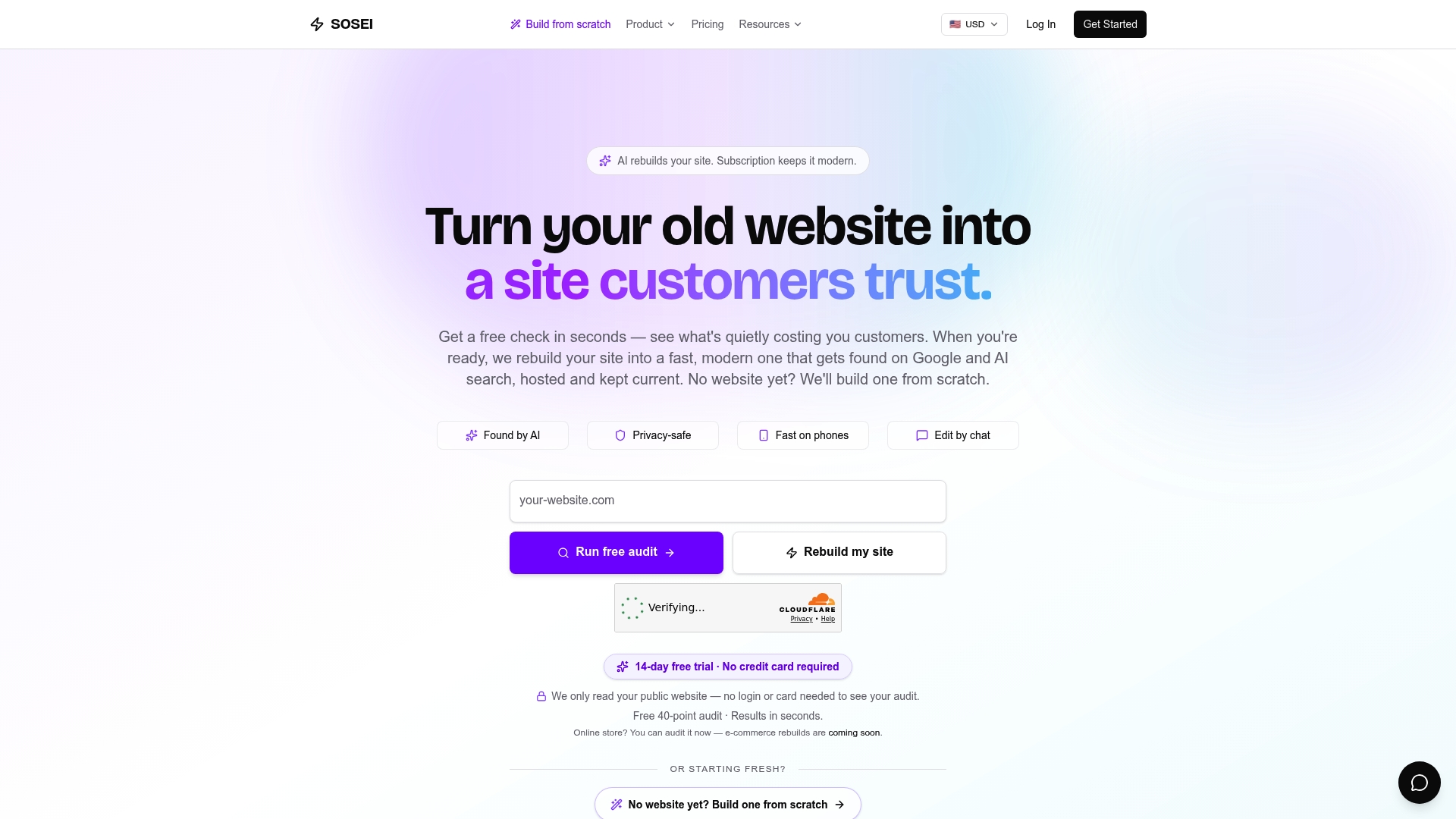
Sosei is built for teams who want a modern, high-performing website without becoming platform experts. Instead of picking a builder and configuring it yourself, SOSEI's AI-driven process rebuilds your site from the ground up, tailored to your specific industry from a catalog covering over 160 sectors. The result is a mobile-first, GDPR-ready, SEO-ready site that is also optimized for AI search visibility, something most builders leave entirely to you. SOSEI includes hosting, a secure domain setup, real-time updates, and WCAG 2.1 AA as the accessibility build standard as part of the subscription, not as add-ons. If you want to see exactly what your current site is costing you before committing to anything, SOSEI's free 40-point audit is the clearest starting point. Get started with SOSEI and see what a purpose-built rebuild looks like for your industry.
Key Takeaways
The best Webflow alternative is determined by your use case: Shopify for ecommerce, WordPress for content control, Squarespace for design, Framer for marketing teams, and Bubble for web applications.
| Point | Details |
|---|---|
| Use case drives the choice | No single platform beats Webflow across all categories; match the tool to your specific need. |
| Webflow's learning curve is real | It exposes CSS and layout logic visually, which is too technical for most non-developers. |
| Shopify leads for ecommerce | Its payment, inventory, and shipping infrastructure outperforms every general-purpose builder here. |
| WordPress offers the most extensibility | With Elementor and WooCommerce, it covers design, content, and ecommerce with full data ownership. |
| SOSEI rebuilds rather than replaces | For teams who want a done-for-you modern site with SEO, AI visibility, and compliance built in, SOSEI is a different kind of solution. |